ABOUT THE GAME
Animals Skin game overview
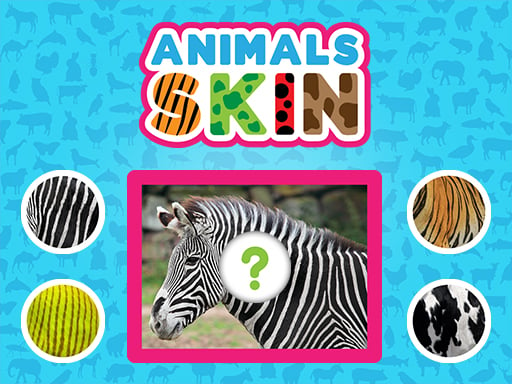
Place the correct skin or fur piece onto the animal shown. Fur markings and surface pattern identify the correct piece more reliably than its outline alone; each animal picture contains an empty skin area and several texture pieces to compare. The cycle begins with comparing stripes, spots, scales, or fur color, moves into moving the best matching texture into the missing section, and ends when a correct placement completes that animal and advances the lesson. For Animals Skin, no defeat state interrupts matching missing fur textures to animals; a wrong texture simply leaves the animal picture unfinished. Each completed animal image leads to another texture-matching exercise with a different species.
WHAT TO EXPECT
Before you start
Comparing stripes, spots, scales, or fur color sets the pace. The next phase is moving the best matching texture into the missing section; a correct placement completes that animal and advances the lesson. Fur markings and surface pattern identify the correct piece more reliably than its outline alone.
GETTING STARTED
How to play Animals Skin
Place the correct skin or fur piece onto the animal shown. The safest preparation is comparing stripes, spots, scales, or fur color, since fur markings and surface pattern identify the correct piece more reliably than its outline alone.
Shift into moving the best matching texture into the missing section after the opening decision. Each completed animal image leads to another texture-matching exercise with a different species.
CONTROLS
Controls and device setup
Use the mouse to drag a skin piece, or move it with one finger, then release over the matching animal area.
PLAY SMARTER
Tips for Animals Skin
- Match distinctive stripes or spots before comparing broad background color.
- Inspect the animal's visible coat around the gap for continuing pattern edges.
- Move one texture at a time so rejected pieces remain easy to compare.