ABOUT THE GAME
Mech Battle Simulator game overview
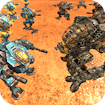
The main job in Mech Battle Simulator is to assemble a mech force that can defeat the opposing army on the simulated battlefield. Mech Battle Simulator develops as victories introduce new battle challenges and make unit choice more important against changing enemy formations. Mech Battle Simulator becomes difficult when a force with no answer to the rival unit mix can be surrounded or destroyed before it completes the assault. Spread durable units across the front instead of leaving one easy route into the back line. Change the unit mix when repeated attempts fail at the same section of the battlefield.
GETTING STARTED
How to play Mech Battle Simulator
Inspect the enemy formation before committing the available mech units. Position contrasting unit types so ranged fire and tougher frontline machines support each other.
Start the simulation and watch which part of the formation breaks first before revising the plan. Judge a formation by how its units cooperate, not only by the strength of one mech.
CONTROLS
Controls and device setup
Use the battlefield placement interface with a mouse or touchscreen to select and position mech units. Activate the simulation with its on-screen start control, then adjust the formation before running it again.
PLAY SMARTER
Tips for Mech Battle Simulator
- Spread durable units across the front instead of leaving one easy route into the back line.
- Change the unit mix when repeated attempts fail at the same section of the battlefield.
- Judge a formation by how its units cooperate, not only by the strength of one mech.