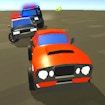
ABOUT THE GAME
Parking Master: License Exam game overview
Varied difficulty levels: start with simple parking spots in open areas and gradually move on to more challenging scenarios, such as parallel parking on narrow streets or parking under time pressure. From city streets to busy supermarket parking lots, each location requires a different approach. Avoid obstacles like other cars, poles, or even construction materials to reach your parking spot. Realistic physics and controls: feel the weight and inertia of your car in every maneuver. Control the steering, acceleration, and brakes with realistic controls to achieve perfect parking.
WHAT TO EXPECT
Before you start
The available game information adds a useful game-specific detail: Avoid obstacles like other cars, poles, or even construction materials to reach your parking spot. This helps set expectations before the first attempt.
Parking Master: License Exam is presented for landscape play. A clean line, early braking and small steering corrections build a faster complete run than maximum speed through every section.
GETTING STARTED
How to play Parking Master: License Exam
Begin with the objective documented for Parking Master: License Exam: Avoid obstacles like other cars, poles, or even construction materials to reach your parking spot. Varied difficulty levels: start with simple parking spots in open areas and gradually move on to more challenging scenarios, such as parallel parking on narrow streets or parking under time pressure.
Follow the official input mapping: PC:; • W — accelerate; • S — brake; • A — steer left; • D — steer right; Smartphone / Tablet:; • Tap / hold the right pedal — accelerate; • Tap / hold the left pedal — brake; • Swipe left or r. Prioritise a controlled line and small corrections before chasing maximum speed.
CONTROLS
Controls and device setup
Official controls: PC:; • W — accelerate; • S — brake; • A — steer left; • D — steer right; Smartphone / Tablet:; • Tap / hold the right pedal — accelerate; • Tap / hold the left pedal — brake; • Swipe left or r. The official instructions identify touch input for supported mobile play.
PLAY SMARTER
Tips for Parking Master: License Exam
- Guide-specific note for Parking Master: License Exam: Varied difficulty levels: start with simple parking spots in open areas and gradually move on to more challenging scenarios, such…
- Ease off before a difficult turn and accelerate once the vehicle is aligned with the exit.
- Use small steering corrections to preserve momentum.